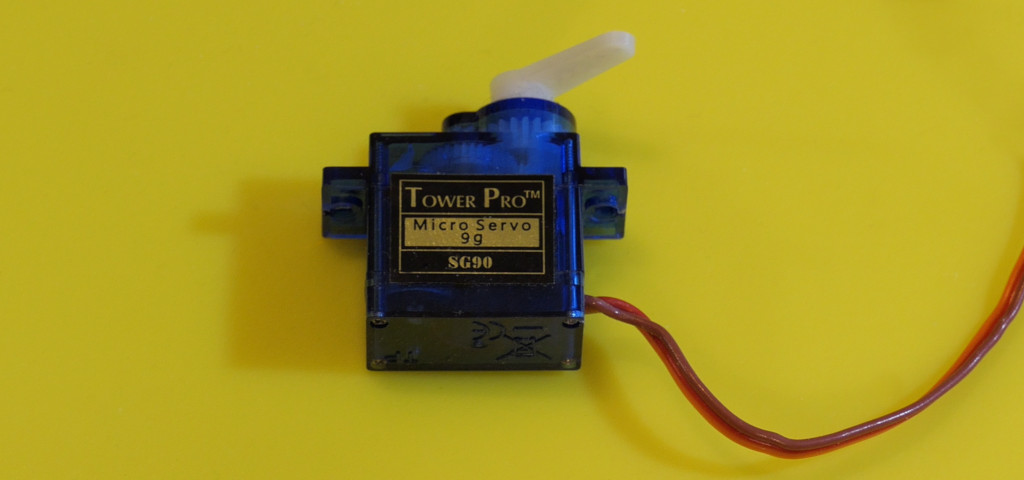
A servo can turn a simple piece of card into a physical gauge. Unlike a bare DC motor, a positional servo includes feedback and tries to reach the angle you request. Start with an unloaded horn and modest travel before adding a mechanism.
Power and wiring
Disconnect both power sources while wiring. Power the Uno by USB and the servo from a separate regulated supply matching its rating. Join grounds so the signal has a common reference. Do not join the external positive rail to the Uno’s USB-fed 5 V pin.
| Connection | Destination or purpose |
|---|---|
| Servo positive lead | External regulated 5 V positive, for a servo rated for that supply. |
| Servo ground lead | External supply negative and Uno GND. |
| Servo signal lead | D9. |
| Left button | Between D2 and GND. |
| Right button | Between D4 and GND. |
Servo wire colors are common conventions, not universal pinout guarantees. Startup and stall current can be much larger than the unloaded running current; a weak supply often causes resets or jitter.
Install Servo and upload
Install the Arduino Servo library through Library Manager. The horn may move to center at startup, so keep fingers and obstructions clear.
Download the complete Arduino sketch
#include <Servo.h>
const byte leftPin = 2;
const byte rightPin = 4;
Servo pointer;
int previousAngle = -1;

void setup() {
  pinMode(leftPin, INPUT_PULLUP);
  pinMode(rightPin, INPUT_PULLUP);
  pointer.attach(9);
  pointer.write(90);
}

void loop() {
  const bool left = digitalRead(leftPin) == LOW;
  const bool right = digitalRead(rightPin) == LOW;
  const int angle = left == right ? 90 : (left ? 60 : 120);
  if (angle != previousAngle) {
    pointer.write(angle);
    previousAngle = angle;
  }
  delay(20);
}
Neither button, or both buttons together, commands 90 degrees. Left requests 60 degrees and right requests 120 degrees. This deliberately uses a smaller range than the mechanical endpoints. Button bounce may briefly change the requested position, but this example does not count presses. Use the debounced button pattern when one press must produce exactly one action.
Position pulses are not ordinary brightness PWM
The Servo library generates the timed pulses the servo expects. write(90) expresses an angle request through the library’s mapping; it is not a measurement of the actual output shaft. Cheap servos differ in center, endpoint travel, backlash, and load response.
On an Uno, the library uses a timer and can affect PWM on D9/D10. The servo signal can use other supported digital pins; changing the signal pin does not necessarily change the timer the library claims.
Troubleshooting
- Board resets or servo chatters: check external power capacity, connections, and common ground.
- Motor buzzes at an endpoint: stop and reduce travel. Do not force it against its mechanical limit.
- Spins continuously: you may have a continuous-rotation servo, which interprets commands as speed and direction.
- Pointer position is inconsistent: reduce load and assess gear play. Add a sensor when the application needs verified position.
Try labeling a card dial “dry / comfortable / damp” before connecting a humidity sensor. Keep the initial indicator informative rather than asking it to control a valve or lock. The Servo library documentation covers pulse and timer behavior.